
SMS Notifications — Opt-In Consent
This page documents how Motive collects SMS opt-in consent inside the app, reproduced here so mobile carriers and TCR (The Campaign Registry) can verify the Call to Action without an account.
The consent screen
This is the standalone SMS consent screen shown inside the Motive app. The exact on-screen disclosure is reproduced below it, word for word.
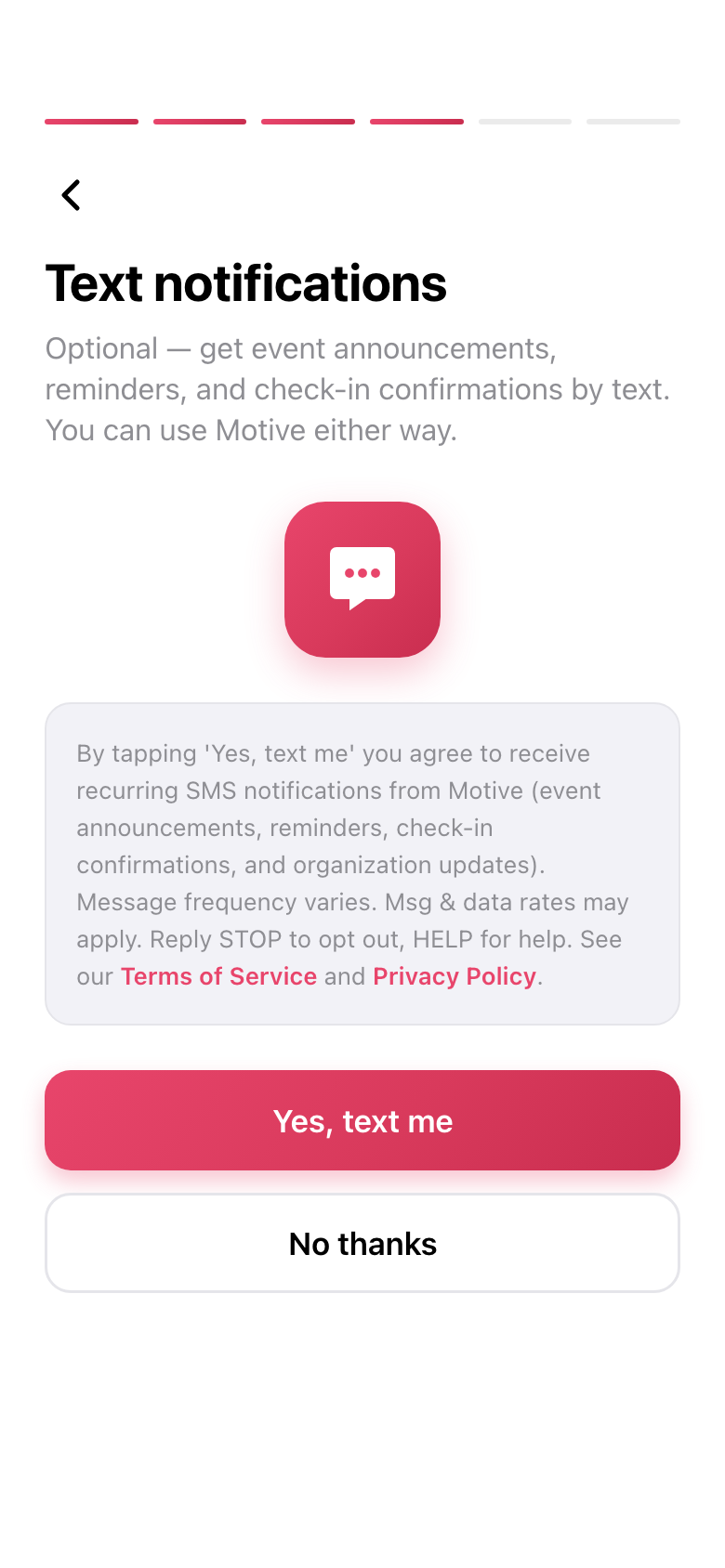
In-app consent screen · Motive mobile app
Exact on-screen disclosure
By tapping 'Yes, text me' you agree to receive recurring SMS notifications from Motive (event announcements, reminders, check-in confirmations, and organization updates). Message frequency varies. Msg & data rates may apply. Reply STOP to opt out, HELP for help. See our Terms of Service and Privacy Policy.
The "Terms of Service" and "Privacy Policy" in that disclosure link to our Terms of Service and our Privacy Policy.
When this screen appears
The consent screen is a separate, standalone step that appears only after phone verification is complete — never as part of the verification itself.
- 1
Enter phone number
The user types their mobile number.
- 2
Verify by one-time passcode
They enter the OTP code sent to that number.
- 3
Verification completes
The number is confirmed as theirs.
- 4
Consent screen is shown
A separate screen appears with two buttons — "Yes, text me" and "No thanks" — with neither pre-selected. The user must actively choose.
SMS consent is optional
Consent is not required to use Motive. Choosing "No thanks" continues into the app with full access — the user simply won't receive SMS.
How to opt out
Users can stop SMS at any time, two ways:
Reply STOP to any Motive text message to opt out immediately.
Manage SMS preferences anytime at dashboard.motiverewards.com/settings.
For help, reply HELP to any message. Message and data rates may apply depending on your carrier and plan.
Related policies
Full details on how we handle SMS and your data: